Generate a General Enterprise Lab
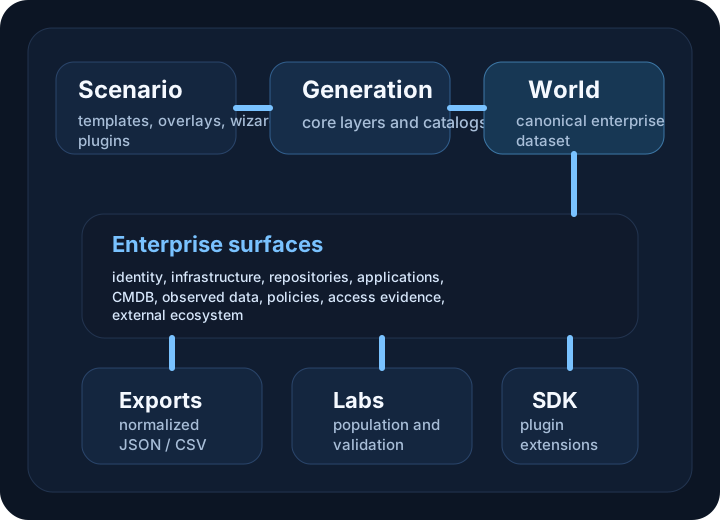
Use this walkthrough when you want a strong default enterprise world that is broad enough for general lab population, export testing, and validation work.
Requirements
- DataGen module imported
- seeded catalog content available
- a writable output directory
Reference assets
Steps
1. Validate the scenario
Test-SEScenario -Path .\general-enterprise-lab.json
2. Generate the world
$world = New-SEEnterpriseWorld -ScenarioPath .\general-enterprise-lab.json -Seed 4242
$world | Get-SEWorldSummary
3. Save and export
$world | Save-SEEnterpriseWorld -Path .\out\general-enterprise.seworld -Compress
$world | Export-SEEnterpriseWorld -OutputPath .\out\general-enterprise -Format Json -Profile Normalized -IncludeManifest -IncludeSummary -Overwrite
What to expect
You should get a balanced world that includes:
- hybrid identity
- workstations and servers
- repositories and collaboration surfaces
- applications and services
- policies, access evidence, and observed views
Example output shape
out/
  general-enterprise.seworld
  general-enterprise/
    entities/
    relationships/
    manifest.json
    summary.json
When this is the right starting point
Use this walkthrough when you need a broad, believable baseline and do not yet need to optimize for one specific surface such as AD, Entra, or CMDB.
If you plan to refresh the same generated lab repeatedly, continue to Repeatable Lab Runs for the fixed scenario, seed, snapshot, export, and comparison workflow.